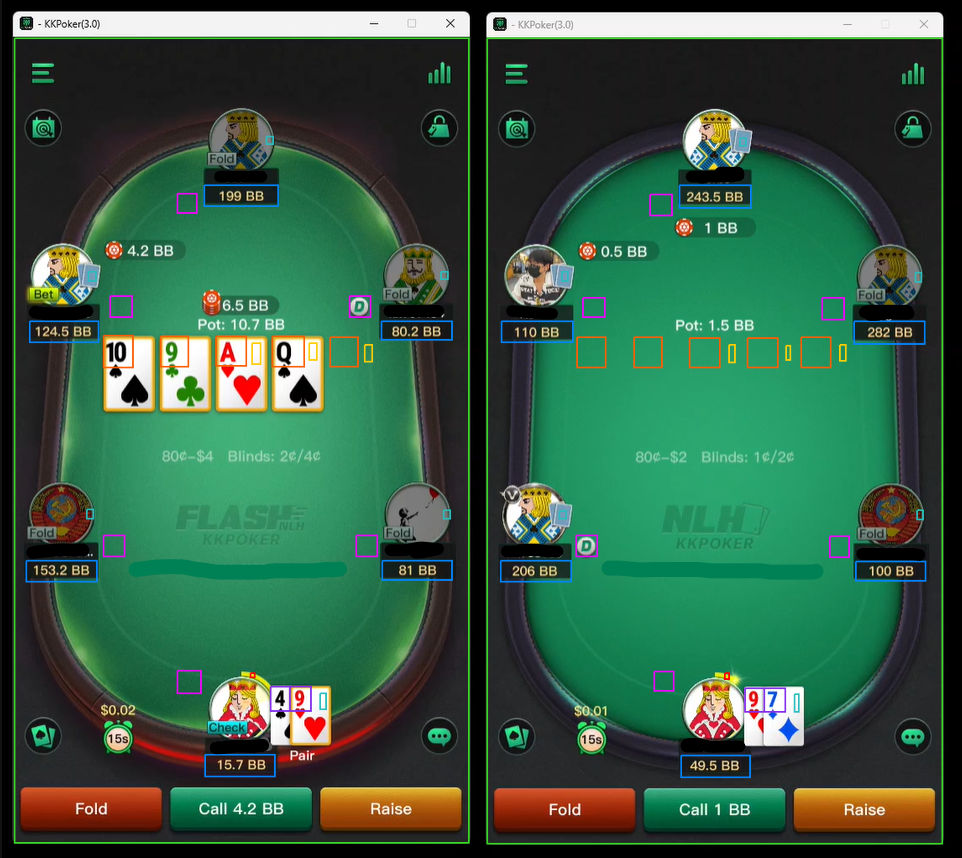
Pokercat Guide
PPPoker, KKPoker
Finish the steps below once. After that, you can play without repeating this setup.
Capture game screen
PPPoker, KKPoker may block browser screen capture or make the table freeze or black out. OBS Capture is usually enough for a stable table image and is easier to set up because it runs on the same computer as Pokercat, but it is not as isolated as HDMI capture. If you have higher account-safety requirements, use an HDMI Capture Card with a second computer; this setup is more involved because it requires dedicated HDMI capture hardware and another machine.
Adjust in-game setting
Follow the in-game settings below exactly.
Game Display
Section titled “Game Display”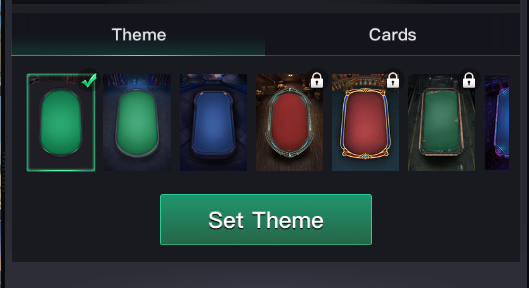
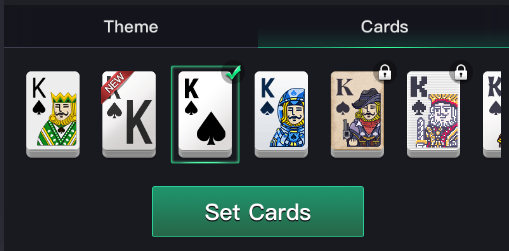
Table Settings
Section titled “Table Settings”| Setting | Value |
|---|---|
| Card Squeeze | OFF |
Profile > Settings
Section titled “Profile > Settings”| Setting | Value |
|---|---|
| Resize Window | Pick a size that matches your screen map. For the pre-made screen maps, choose 540x960 and line the table window up with the screen map. |
Make detection profile for this site