Pokercat Guide
Detection Profile Editor
Where to find it
Section titled “Where to find it”
In the dashboard, click the edit button above the notification bar to open the editor as a full-screen modal.
Steps to create a detection profile
Section titled “Steps to create a detection profile”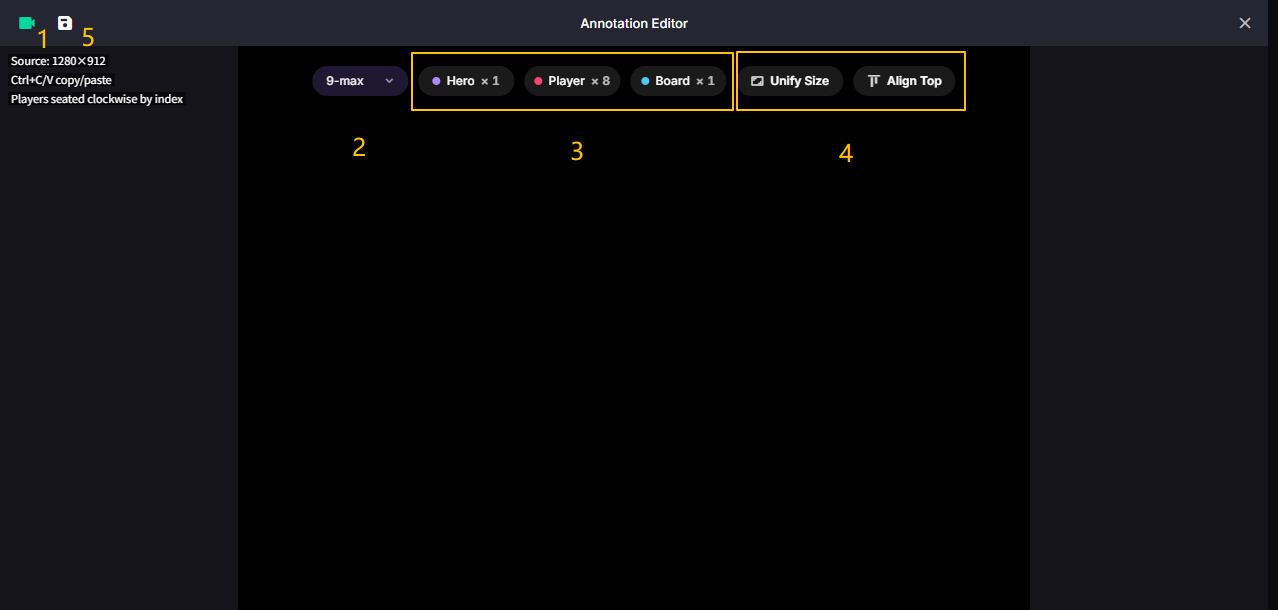
1. Choose an input source. Make sure you have already finished Capture Setup.
2. Choose the player count. Pokercat will automatically generate the matching detection groups.
3. Finish the hero, player, and board annotations. See Instructions of detection elements.
4. Use the annotation tools to align and duplicate boxes faster. See Useful tools.
5. Save a new profile or overwrite one of your own profiles. See Save detection profile.
Instructions of detection elements
Section titled “Instructions of detection elements”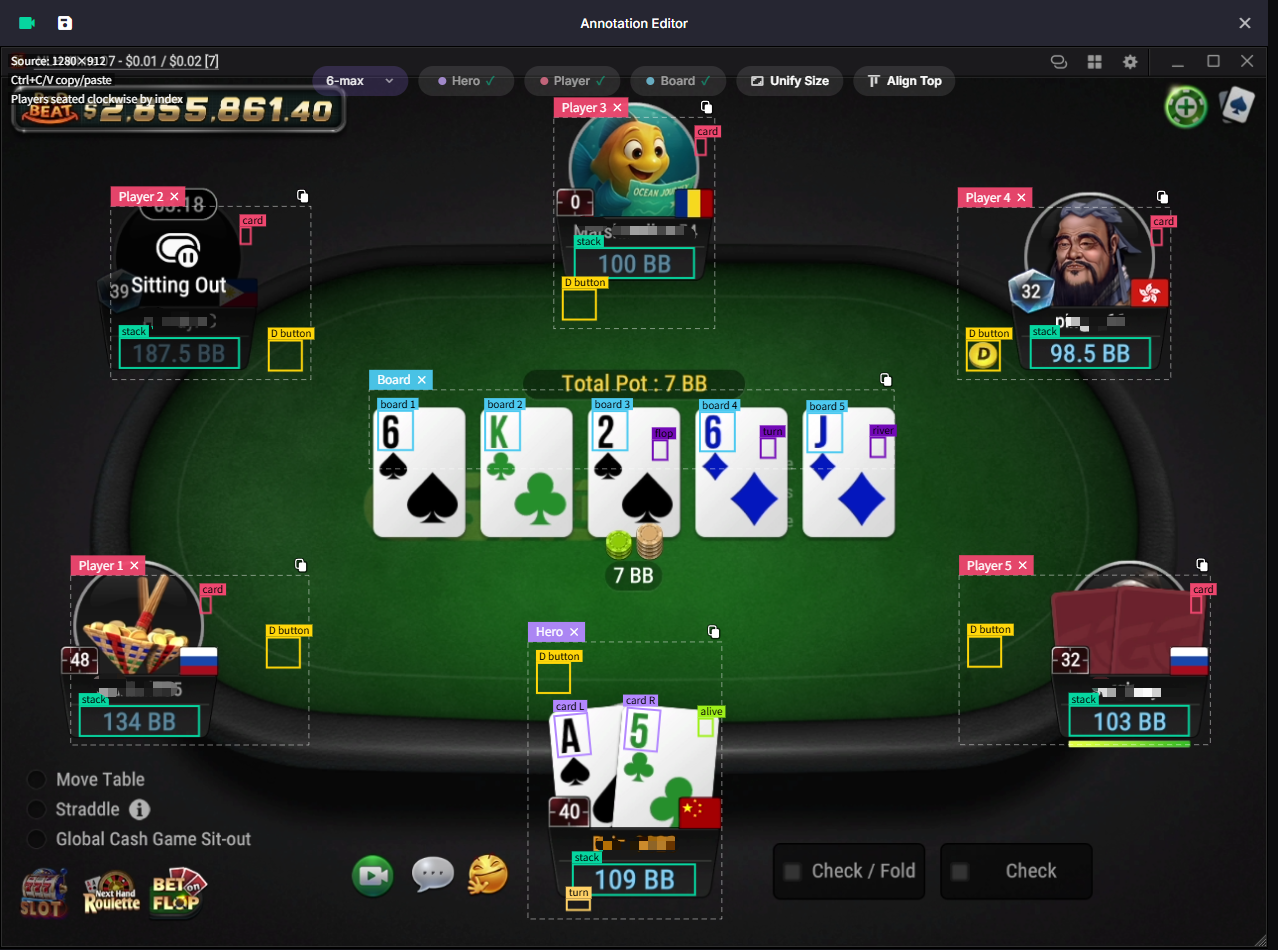
Most elements follow the layout shown above. Pay extra attention to these areas:
| Element | Notes |
|---|---|
| Hero turn | Hero action indicator. Because its color must stay stable, it is usually best placed on the end segment of the action timer bar. |
| Hero card | Some hero cards are tilted. Drag the rotation handle above the box to match the card angle. |
| Player card | Avoid the player avatar as much as possible, because avatar colors are unpredictable. |
| Board card | Fit tightly around the rank text. Do not include the suit or the card border. |
| Stacks | Wrap the full number. Stacks may be as long as XXX.XX. |
Useful tools
Section titled “Useful tools”Use these tools to speed up precise editing:
| Tool | How to use it |
|---|---|
| Horizontal align | Align several boxes at once. This is especially useful for all board cards. |
| Copy size | Reuse the same width and height across similar elements. |
| Copy group | Use Ctrl + C / Ctrl + V to duplicate a selected group. |
| Nudge | Use the arrow keys to fine-tune the selected box position. |
Save detection profile
Section titled “Save detection profile”Click Profiles in the editor header to open the profile manager.
| Action | Notes |
|---|---|
| Apply | Load a system profile or one of your own profiles into the editor. |
| Save | Create a new profile. You need to enter a name and choose the matching platform. |
| Overwrite | Select an existing profile, choose the platform, then confirm overwrite. Regular users can overwrite their own profiles only. |
| Delete | Delete one of your own profiles from My Annotations. |
Before saving, Pokercat checks that an input source is loaded, a player count is selected, and all required annotations are complete. If anything is missing, the profile manager shows the error in place.