Pokercat Guide
CoinPoker
Finish the steps below once. After that, you can play without repeating this setup.
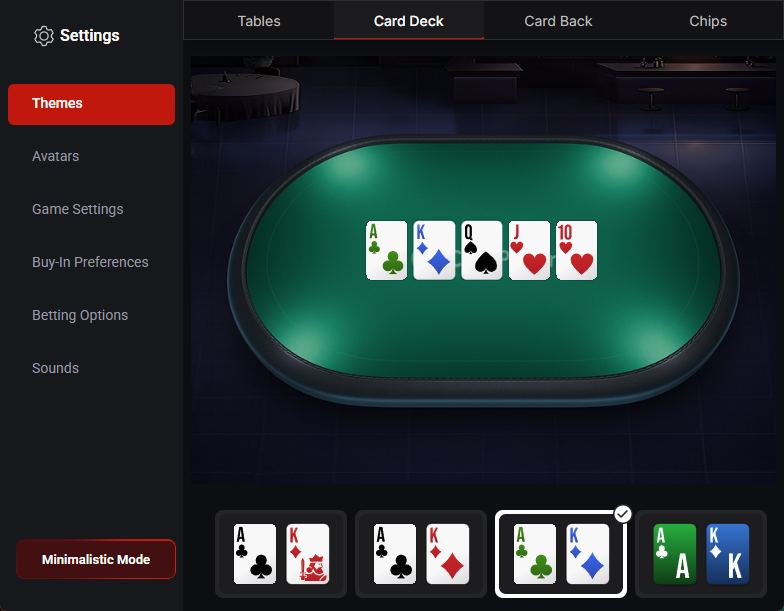
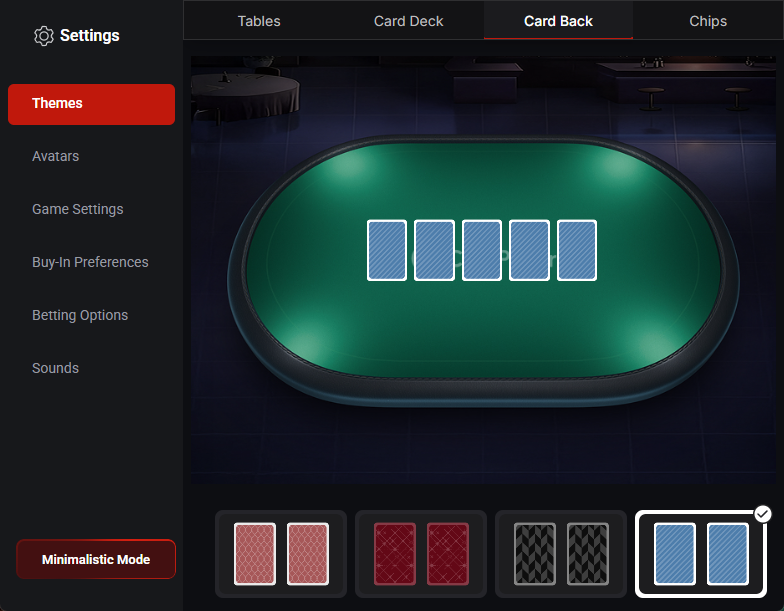
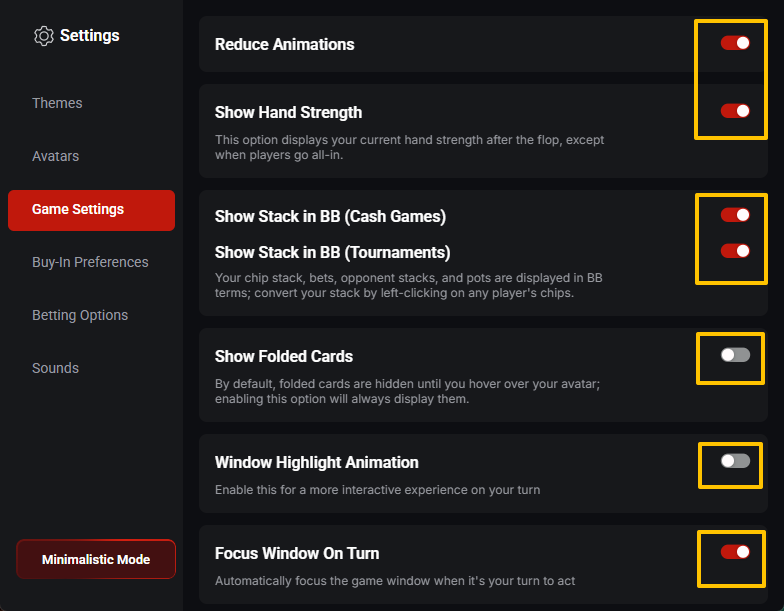
Adjust in-game setting
Follow the in-game settings below exactly.
Capture game screen
Use Browser Capture and choose the game window as the input source.
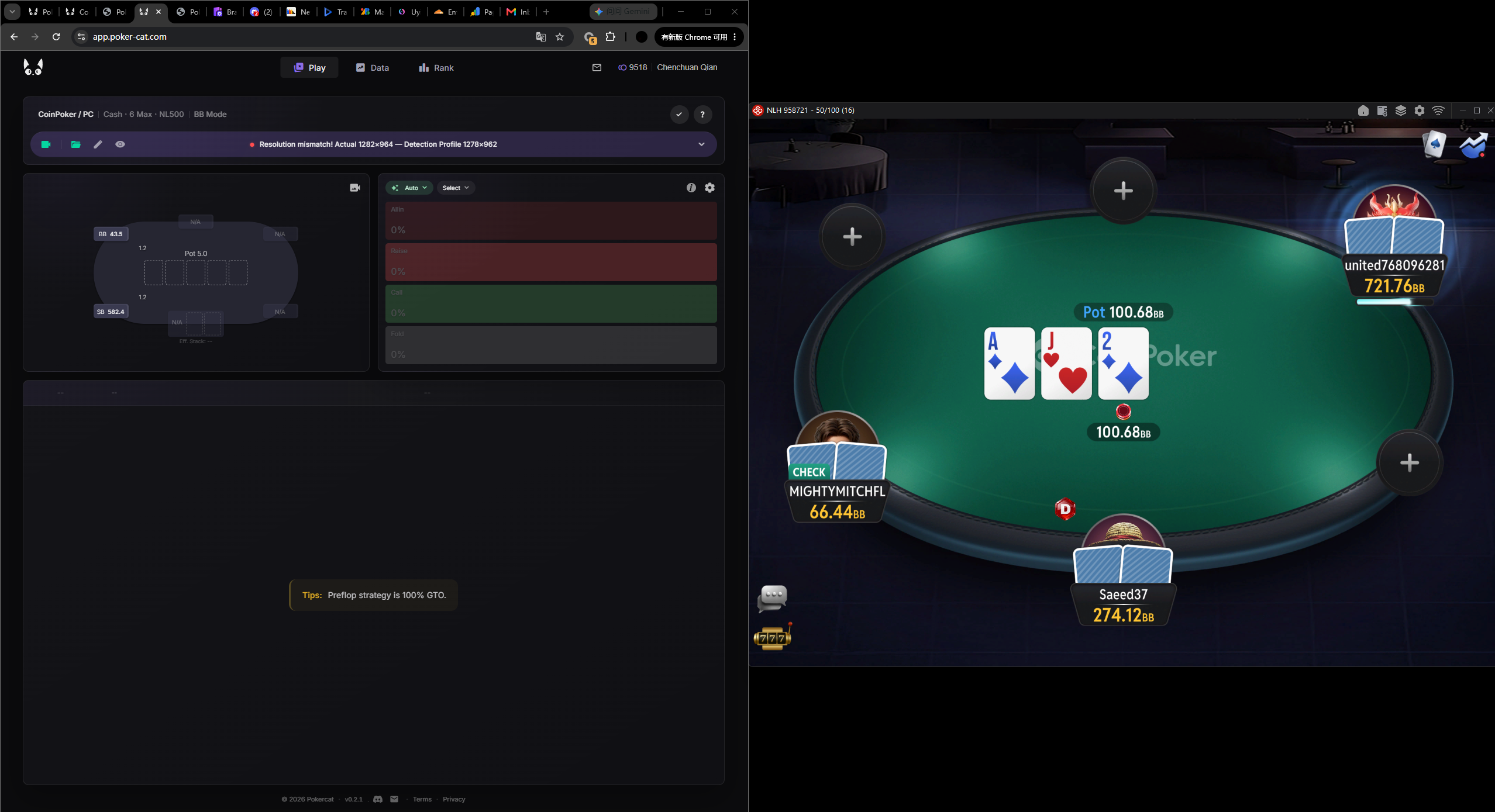
Recommended layout
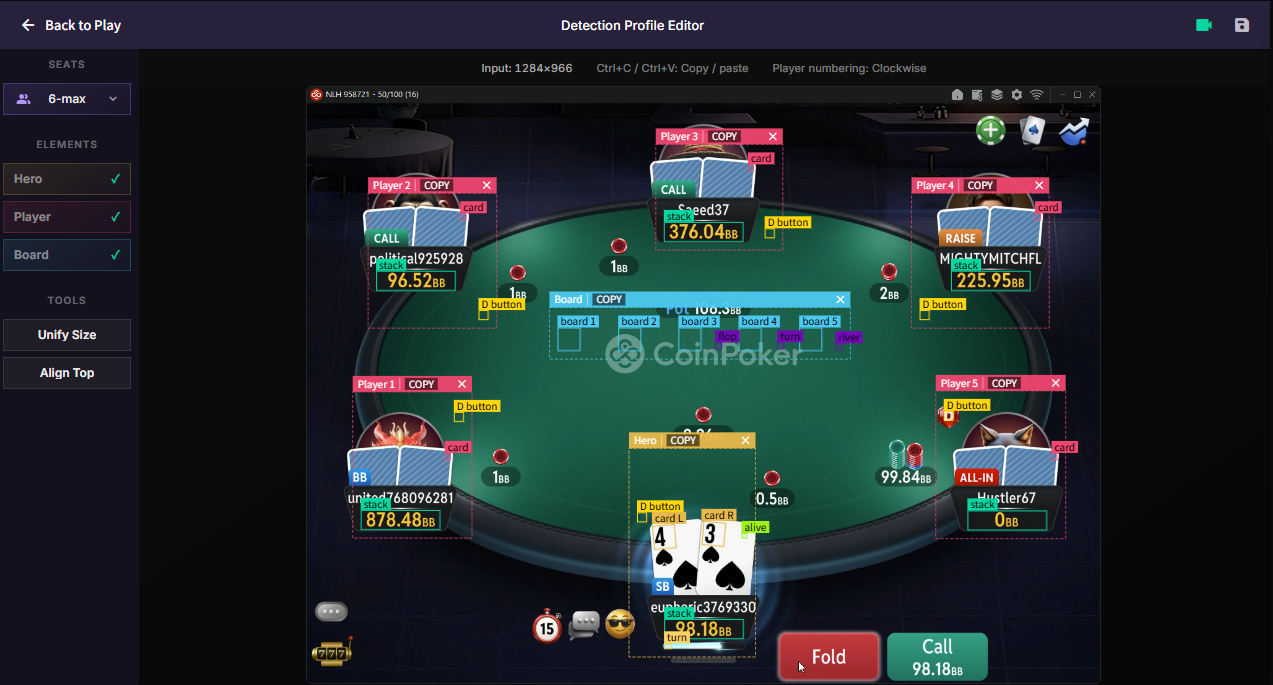
Put the browser on one half of the screen and the game window on the other, left or right. This is the recommended layout. With this layout, use the built-in detection profile and pick the one that matches your desktop resolution. For other resolutions, create a custom detection profile.
Make detection profile for this site (if necessary)